


rackline.ai - AI Deer Scoring
3.216.00 Reviews
App Specs
- Version
- 3.0.28
- Updated On
- License
- Free
- Downloads
- 10,000+
- Developer
- rackline.ai
- Categories
- Sports
- Platform
- Android
Screenshots
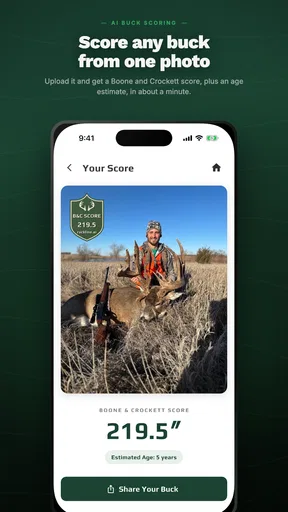
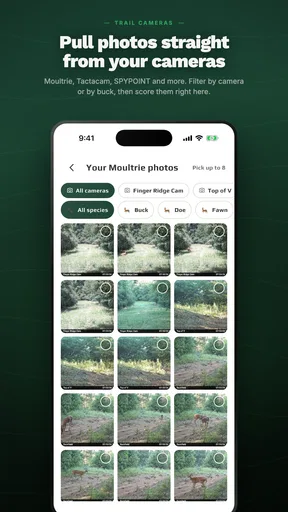
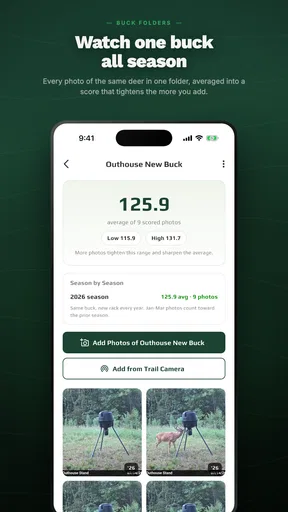
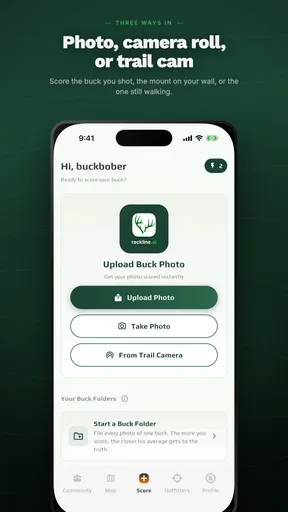
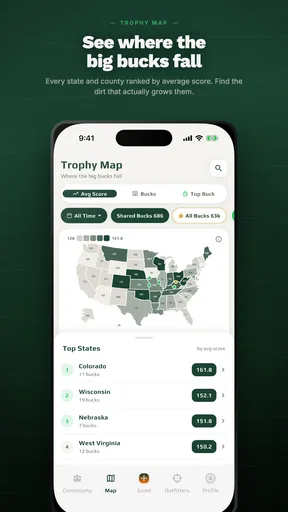
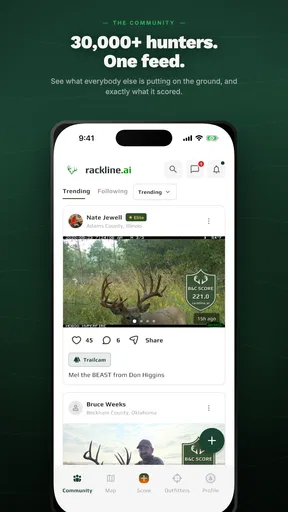
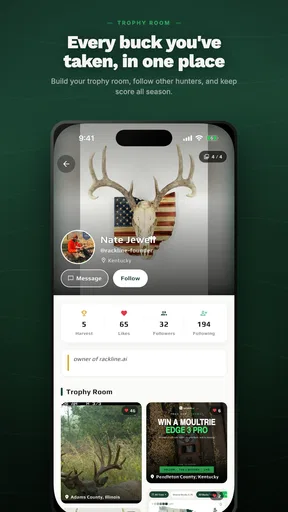
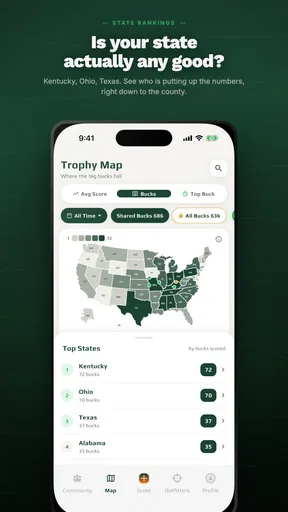
 Analysis by AppCompare
I approached rackline.ai as a practical field tool rather than a novelty camera app. Its purpose is straightforward: use a photograph to estimate a Boone & Crockett antler score. That makes it interesting for hunters, land managers, wildlife observers, and anyone who wants a quick reference before taking measurements by hand. My overall impression is that it can make an initial estimate more convenient, but it should be treated as an aid for screening and discussion, not as a replacement for careful official scoring.
The app sits in the Sports category and is developed by rackline.ai. It is free to install, carries an Everyone content rating, and currently appears as version 3.0.28 for devices running Android 7.0 or newer. Its average rating is 3.2 from around 65 ratings, with roughly 16 written reviews, while its adoption has passed 10 thousand installs. Those figures suggest a young or still-developing tool with a modest user base, so I would approach it with curiosity and realistic expectations rather than assuming the polish of a long-established hunting utility.
How the scoring workflow feels in real use
I’d treat the scoring step as a first-pass read of the photograph, then pause before drawing conclusions from the number alone. Comparing a clear side view with a less-than-ideal field image can help you see how much the result depends on what the camera captures. That habit makes the workflow more useful—and points to the next question: how much confidence should you place in an estimate?
A quick answer is useful, but the photograph does the hard work
The appeal is obvious when you imagine standing beside a harvested deer or looking through a set of saved hunting photographs. Instead of immediately reaching for a tape, score sheet, and calculator, you can begin with an image and get an estimate from the visual information available. That is especially handy when you want to decide whether a rack deserves a more careful measurement later.
In my view, the most important part of using this kind of tool is not tapping the scoring button. It is preparing a photograph that gives the app a fair chance. A tilted head, antlers hidden by brush, harsh shadow, or a partial side view can make any image-based estimate less dependable. I would take several photos from slightly different angles, keep the rack unobstructed, and choose the clearest one rather than automatically using the newest picture in the gallery.
This creates a useful two-stage workflow. First, use the app for a fast assessment while the details are fresh. Then, if the result matters, verify the rack with a traditional Boone & Crockett measurement process. That approach gives the app a sensible role: it helps prioritize attention without pretending that a photograph can remove every judgment involved in official scoring.
What “instant” should mean in practice
The promise of speed is best understood as speed of access, not a guarantee that every image will produce an equally dependable answer. A clear, well-composed photograph should be easier to process than a dark image with overlapping tines. If the app appears slow on a particular phone, the cause may be the image itself, the device, or the work required to analyze it rather than a simple failure of the concept.
Worth Reading Before You Choose

Flipboard Shows What News Apps Must Do Beyond the Feed

Switching to Android Auto Means Rethinking Your Driving Routine

Google Calendar Makes a Crowded Week Easier to Manage

Ludo King Makes the Most of the Minutes Between Plans

Baby Panda World Brings Quick Play to Modern Phones, but Its Game Library Feels Busy

ESPN’s Live Game View Makes Following Close Games Easier
I would also avoid judging the app after only one difficult photograph. A better test is to use a small set of images: a clean side view, a less controlled field photo, and a close-up with visible obstructions. That gives you a more honest sense of how forgiving the tool is. The result that matters most is not the fastest estimate, but whether the app helps you make a better next decision.
A realistic hunting-season scenario
Imagine returning from the field and sending a photograph to a friend who knows antler scoring. You are curious whether the rack is worth measuring carefully, but you do not have your equipment nearby. This is where rackline.ai makes sense. I could use the image as a conversation starter, compare the estimate with an experienced opinion, and decide whether to perform a full measurement when I have time.
Another practical situation is organizing a collection of photographs after a season. The app can help create an initial order of interest, separating obviously modest racks from images that deserve closer inspection. I would not use that first pass to make a formal claim, but it could save time when several photographs are competing for attention.
Where it differs from the usual alternatives
The traditional alternative is a tape, a score sheet, and a person who understands the Boone & Crockett method. That process is slower, but it gives you direct control over every measurement and lets you notice irregularities that a photo-based estimate may overlook. A knowledgeable human can also account for the physical rack rather than relying only on what a camera captures.
At the other extreme, a general camera or notes app can record photographs and measurements but cannot focus specifically on antler scoring. rackline.ai is more convenient than those basic tools when the immediate goal is an estimate from an image. Its trade-off is that convenience depends heavily on photo quality and the app’s interpretation. If you need a defensible score, the tape remains the better choice.
Heavy-use moments and practical friction
The demanding moment is likely to come when several images are processed close together, especially if they are large photographs taken outdoors. I would expect the experience to be more comfortable when the phone has enough free storage and the images are not unnecessarily oversized. That is not a special requirement unique to this app; it is simply sensible preparation for any image-analysis workflow.
For repeated use, I would keep the original photographs separate from any cropped copies. A crop may make the antlers easier to view, but deleting the original removes useful context and makes later checking harder. A good routine is to preserve the untouched image, create a clear working copy, and record the app’s estimate beside the date and location in your own notes. This turns a quick result into a more useful personal record.
There is also a human factor during heavy use. If you are comparing multiple racks, it is easy to accept the first number that looks plausible. I recommend writing down the image conditions and noting whether the rack was angled, partially hidden, or photographed from the front. That small habit helps prevent an uncertain image from being treated like a carefully controlled measurement.
Reliability is more than whether the app opens
For a scoring app, reliability has two layers. The first is basic operation: launching, accepting a photograph, and returning a result without losing the workflow. The second is interpretive reliability: producing an estimate that remains useful when the image changes slightly or contains common field imperfections. The first layer is easy for a user to notice. The second requires more caution.
I would test consistency by photographing the same rack from comparable angles and checking whether the estimates remain reasonably close. A large swing between similar images would tell me to use the app only as a rough screening tool. A stable pattern would increase my confidence, but it still would not replace physical measurements for an official or competitive purpose.
The current rating of 3.2 indicates a mixed reception rather than universal satisfaction. I would not read that number as proof that the app is unreliable, but I would take it as a reason to test it with your own photographs before depending on it. The written feedback count is small enough that individual experiences may not represent every phone, image style, or use case.
Recovery after an imperfect result
One of the best ways to recover from a disappointing estimate is to improve the input instead of repeatedly submitting the same photograph. Move to a brighter position, avoid reflections, include the complete rack, and keep the antlers from blending into the background. If the image is already old, editing a copy for visibility may help, although I would preserve the original for reference.
If the app does not give you the confidence you need, the recovery path is simple: return to manual scoring. Keep the photograph as a visual record, use a proper tape and score sheet, and ask an experienced scorer to review unusual features. The app remains useful even in that situation because it helped identify the rack as worth checking, but the final authority comes from the more controlled method.
Device constraints and everyday practicality
Because the app supports Android 7.0 and later, it is available to people using older compatible phones rather than only the newest hardware. That broad operating-system reach is helpful in hunting situations, where a spare or rugged older handset may be more practical than an expensive daily phone. Still, operating-system compatibility does not guarantee identical performance across devices.
A phone with a sharper camera, adequate memory, and a responsive processor should provide a more comfortable experience than an aging handset with a damaged lens or very little free space. The app’s own work may also be affected by the size and clarity of the selected photograph. Before heading outdoors, I would update the phone, clear unnecessary storage, and take a few test pictures in the same case or protective housing I plan to use.
Battery planning matters too. Photographing, browsing a gallery, and processing images can be inconvenient when the phone is already close to empty. I would not call this a special weakness of rackline.ai, but it is a real field constraint. A portable battery and a saved copy of important images are more valuable than discovering a scoring tool only after the phone has entered a low-power state.
Free access versus possible spending
The app is free, which lowers the barrier to trying it with a few personal photographs. There are in-app purchase items ranging from $4.99 to $499.99 each, so I would pay close attention to any purchase screen and make sure I understand what is being offered before confirming anything. The wide range makes it especially important not to assume that every useful function is included in the initial free experience.
For casual curiosity, the free entry point may be enough to decide whether the workflow suits you. For frequent use, I would first establish whether the estimates are genuinely helping your process before spending money. A paid option makes more sense when it saves meaningful time for your own work; it makes less sense when you still need to manually verify every result and only use the app a few times a year.
Who will get the most from it
I think the strongest audience is someone who regularly photographs deer and wants a fast preliminary reference. Hunters comparing racks, land managers keeping visual records, and beginners learning the language of antler scoring may all find value in an image-based starting point. It can make the subject less intimidating because you can begin with photographs you already understand how to take.
It is also a reasonable learning companion. A new scorer could make an estimate, perform a manual check, and compare the two approaches. That exercise may reveal which parts of a rack are difficult to judge visually. Used this way, the app is not merely producing a number; it is helping the user notice the difference between visual impression and measured structure.
Who should choose another method
I would skip it as a primary tool if you need a formal score, are dealing with an unusual rack, or have only poor photographs. I would also choose manual measurement first if you already own the proper equipment and know the Boone & Crockett process well. In that case, the app may be convenient, but it adds an interpretive layer you do not necessarily need.
It is not the best fit for someone who dislikes checking automated estimates or who expects a single photograph to settle every scoring question. The app’s value depends on accepting a trade-off: less effort at the beginning, followed by more caution when the result matters. If that trade-off feels frustrating, a traditional score sheet will probably be more satisfying.
My performance verdict
rackline.ai is most convincing as a quick, specialized screening tool. Its perceived speed comes from turning a photograph into an initial estimate without requiring a full measuring session, and its strongest practical advantage is convenience in the moments when your tape is not ready. The experience should be judged with clear images, realistic expectations, and enough patience to retry a poor photograph rather than treating every result as final.
Its limitations are equally important. Image quality, angle, lighting, and visible structure all influence what the app can interpret. The mixed 3.2 average suggests that users should test it on their own devices instead of assuming a universally smooth experience. Older compatible phones may run it, but camera condition, available resources, and battery level can still shape the field experience.
My recommendation is to try the free version if you want a fast estimate from deer photographs and are comfortable verifying important results manually. Keep original images, compare more than one view when possible, and use the output to decide what deserves closer attention. For a serious final score, I would still trust a careful measurement over an automated photograph estimate.
That balance is what makes the app worthwhile to me. It does not need to replace the traditional method to be useful. If it saves time during an initial review, supports conversations with other hunters, or helps a beginner understand which racks deserve detailed study, it has a clear place in a practical workflow. Just remember that the number is a starting point, not the end of the scoring process.
Pros
- Fast AI-assisted scoring for deer photos
- Useful reference for hunters learning scoring methods
- Can organize and review scoring results digitally
- Reduces manual calculation errors
- Convenient for quick field assessments
Cons
- Results may vary with poor lighting or unclear photos
- AI estimates should be verified by an experienced scorer
- Requires a compatible device and reliable app performance
- Advanced scoring features may depend on paid access
- Not a substitute for official measurements or hunting regulations
FAQs for rackline.ai - AI Deer Scoring
What is rackline.ai – AI Deer Scoring used for?
rackline.ai – AI Deer Scoring is designed to help hunters and wildlife enthusiasts evaluate deer antlers from photographs. The app uses artificial intelligence to analyze visible rack characteristics and provide an estimated score or assessment. It is best viewed as a convenient field reference and comparison tool, rather than an official replacement for an experienced scorer or a formal measurement conducted under recognized scoring rules.
How do I get the most accurate result from a deer photo?
For the most useful analysis, take a clear, well-lit image with the deer’s antlers fully visible and positioned as straight toward the camera as possible. Avoid heavy shadows, motion blur, branches, vegetation, hats, or other objects covering the rack. Photos from extreme angles may make the antlers appear larger or smaller than they really are, so taking several images and comparing the results can provide a more reliable impression.
Can rackline.ai provide an official Boone and Crockett or Pope and Young score?
The app may offer an estimated score based on the antler features it can identify, but its result should not automatically be treated as an official Boone and Crockett, Pope and Young, or state-record measurement. Formal scoring can involve precise measurements, deductions, drying periods, and rules that an image-based tool cannot fully verify. Use the app for an initial estimate, then consult a qualified scorer for official documentation.
Does rackline.ai work for every deer species and antler type?
The quality of the result can depend on the species, antler shape, image quality, and the type of rack shown. The app is primarily intended for deer scoring, but unusual antlers, velvet, damaged points, non-typical growth, partial racks, or species not well represented by its training data may produce less dependable estimates. Check the app’s current description and supported regions before relying on it for a particular animal.
Is rackline.ai free to download, and are there in-app purchases?
Availability, pricing, and included features can change between Android and iOS versions, so users should review the current store listing before downloading. Some AI applications provide basic analysis at no cost while reserving unlimited scans, advanced measurements, history, or detailed reports for a subscription or one-time purchase. Also review privacy permissions and the developer’s policy to understand how uploaded deer photographs may be stored or processed.


